Data Output
Note
For an example of how to work with the output data look here.
No matter which tool you use the GUI will export the transect data into a JSON file. If you’re unfamiliar with this data structure, it is equivalent to nested dictionaries in python or nested lists in many other programming languages. It is a common file type that is supported by many software and programming languages. One easy way to access it is using the python json library:
import json
f = open("_FILE_NAME_.json")
dat = json.load(f)
This will load the data into a dictionary which you can easily manipulate for your purposes. You can use nccut.chain_data_file_printer() to have the data printed for you in a readable fashion.
File Structure
The output JSON file has a hierarchical data structure that depends on the tool you used and the file you loaded.
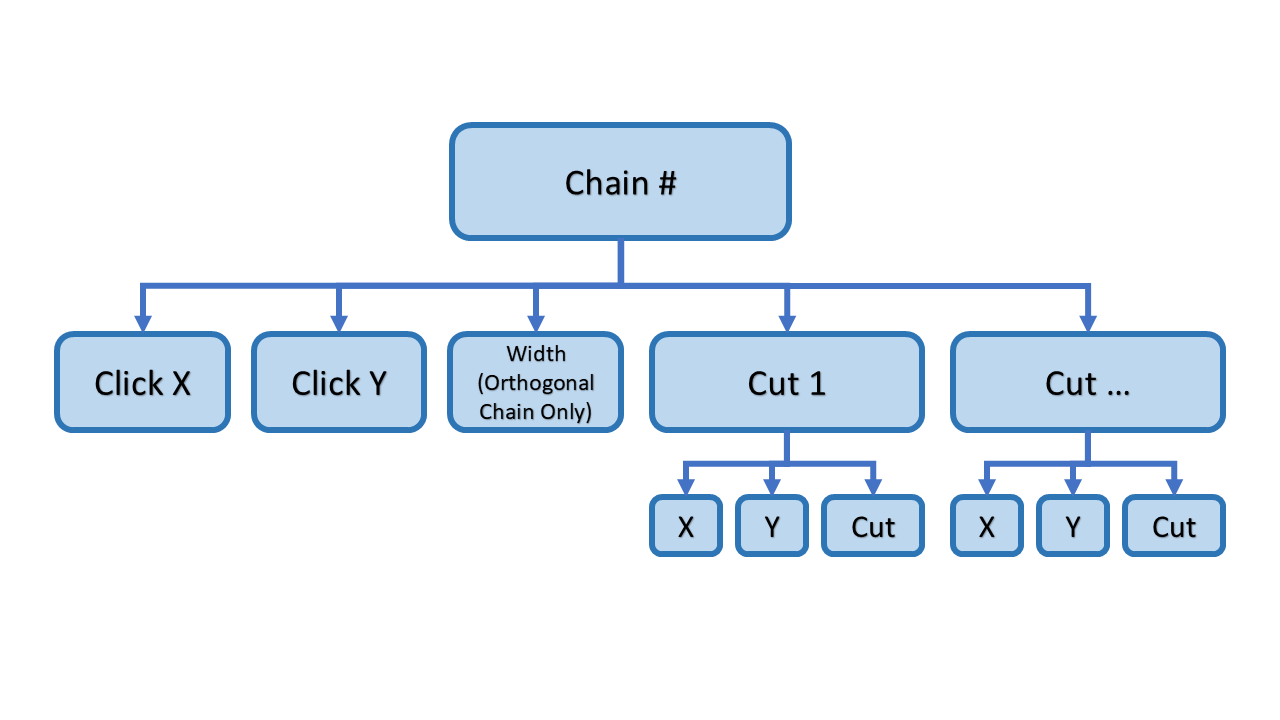
When taken from an image, the data will be simply organized into one or multiple tool group sub-dictionaries which contain one or multiple Cut # sub-dictionaries which each contain arrays of the x coordinates, y coordinates, and the transect values of each transect within the tool.
When the data is taken with the Orthogonal Chain tool, the tool group sub-dictionaries are labeled as Orthogonal Chain #.
When the data is taken with the Inline Chain tool the tool group sub-dictionaries are labeled as Inline Chain #. Each Cut # is a line segment within the chain.
The transect values are the mean of the RGB values of the pixel at each point. The data is interpolated for smoothness.
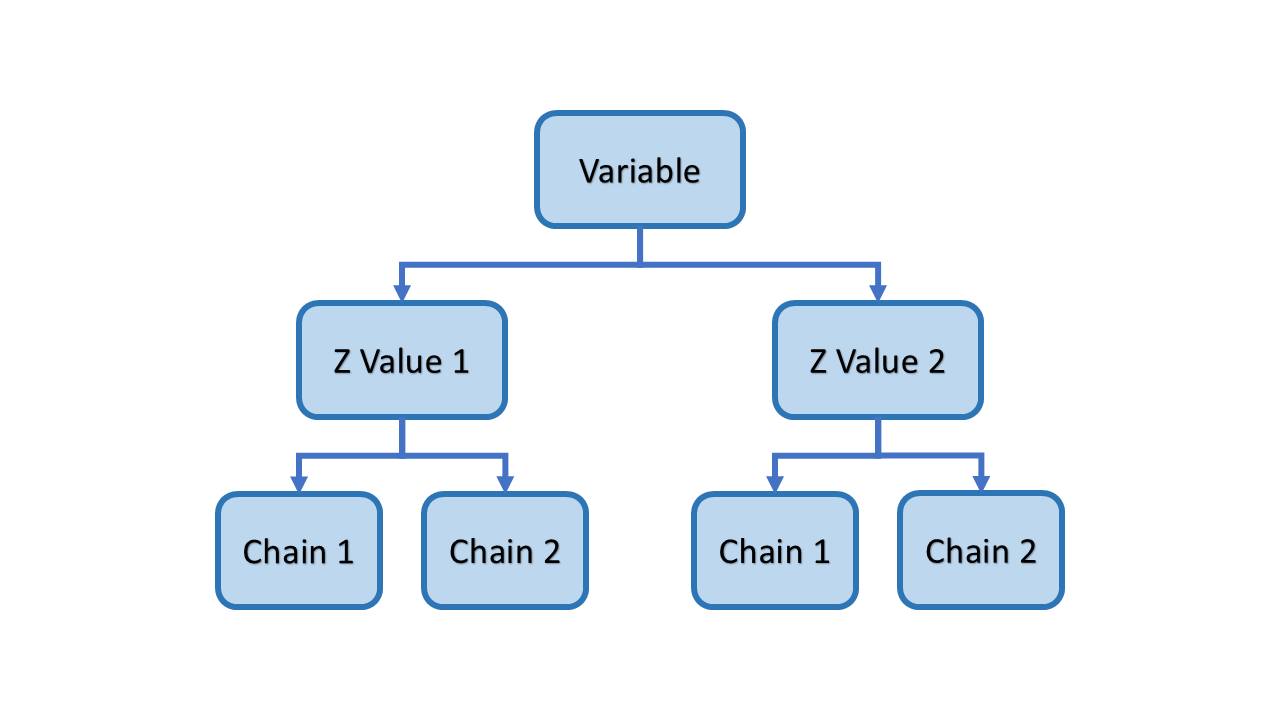
When taken from a NetCDF file the tool group sub-dictionaries are further nested into dictionaries first according to the selected variables and then the selected z dimension values chosen (if the variables has 3 dimensions).
The transect values are the value of the corresponding dataset of the file at that x, y coordinate. The data is interpolated for smoothness.
If the NetCDF file has valid coordinate data the x, y coordinates of the transect points are interpolated from the dataset’s coordinate values.
The output will also have additional metadata from the loaded file. You can add additional metadata fields via a configuration file. NcCut has a helper module for viewing the output data in a readable fashion.
nccut.chain_data_file_printer module
- nccut.chain_data_file_printer.chain_data_file_printer(data, tab)
Recursively prints the contents of an output data file from NcCut in a readable fashion.
- nccut.chain_data_file_printer.data
Dictionary output from NcCut
- Type:
dict
- nccut.chain_data_file_printer.tab
Always use 0, used in the recursive process for indentation
- Type:
int